Web Client: https://mail.sysdek.com
Supporting Mail Clients (Mobile & Desktop)
Cross-platform & Recommended:
Zimbra Native Client: https://www.zimbra.com/downloads/zimbra-desktop/
(Available on windows/ mac/ Linux | active sync not supported)
Windows Native:
Outlook 2013 or above (active sync supported)
Outlook 2010 or below (active sync not supported, IMAP recommended)
Linux Native:
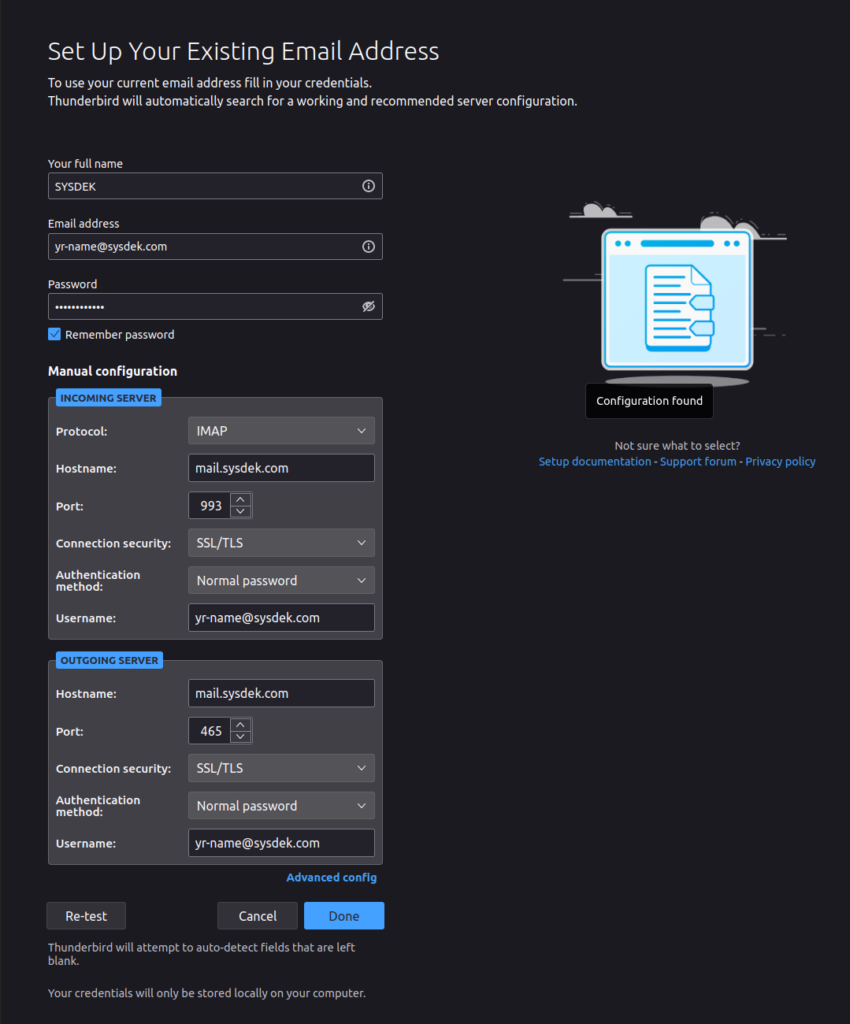
Thunder Bird (active sync not supported, IMAP recommended)
Supported Protocols
1> Active Sync
OR
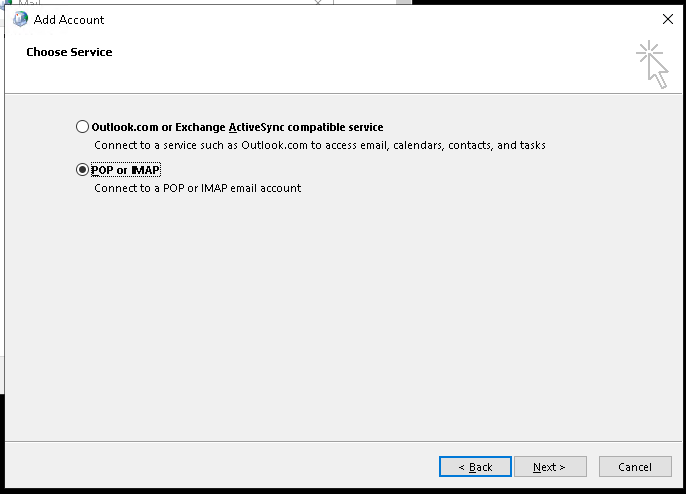
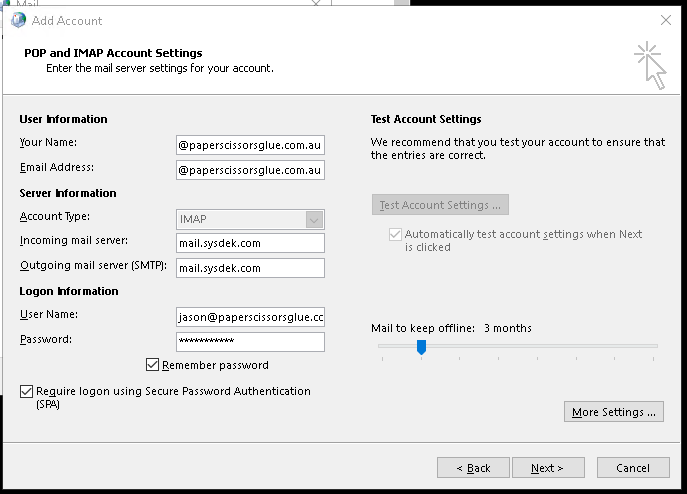
2> Manual Mail Configuration Settings
- Incoming mail server: mail.sysdek.com
- Outgoing mail server: mail.sysdek.com
- Username: [your email]
- Password: [your email password]
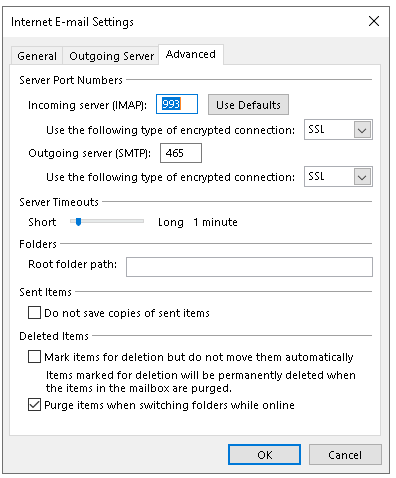
- Incoming Server (IMAP): 993 SSL
- Outgoing server (SMTP): 465 SSL
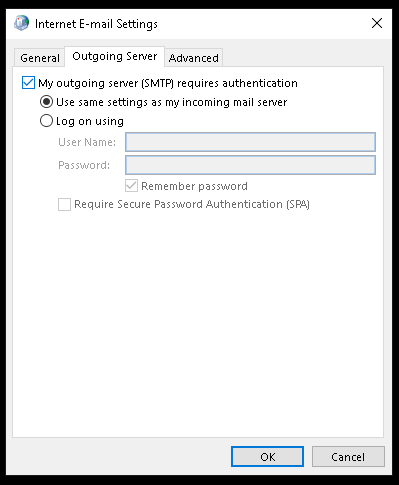
- SMTP requires authentication: yes
WEBSITE INTEGRATIONS
(Configuration details for mail-sending-services)
- server: mail.sysdek.com
- Protocol: SMTP
- port: 25
- username: [your email]
- Password: [your email password]
DNS Configuration
# Changes for Email Routing [If Email Routing is Available]
Old: “Local Mail Exchanger”
New: “Remote Mail Exchanger”
# Changes Done to DNS (zone_editor)
## DNS Modifications Records
MX 14400 0 mailcleaner.verticaltechsolutions.com
TXT 14400 "v=spf1 mx a:verticaltechsolutions.com ip4:44.238.99.35/32 ?all"
Configuration Guides
Outlook (IMAP)
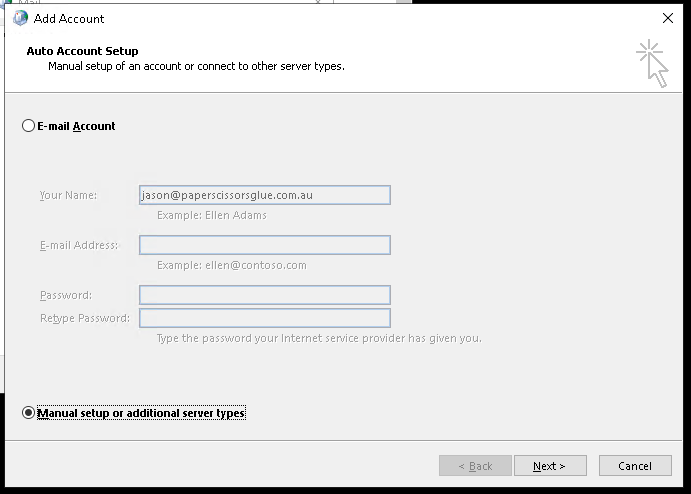
Outlook (ActiveSync)
Thunderbird (IMAP)